 Contents
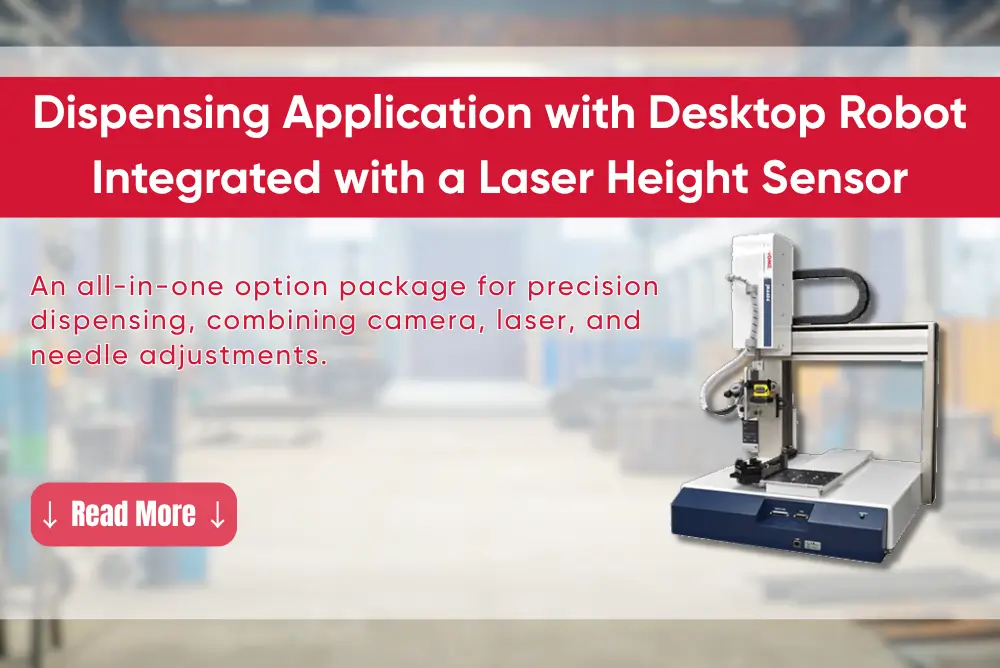
To meet high-precision dispensing requirements, the JR4000 Series is engineered with exceptional rigidity and accuracy. It also features a built-in camera, laser height sensor, and needle adjustment unit as standard. By consolidating all critical components into a single system, installation and operation become simpler, more synchronized, and highly stable.

Easy Setup and Fast Operation
All key processes—such as camera calibration, sensor configuration, and teaching—can be performed directly via PC software.
The redesigned user interface (UI) ensures a smoother setup experience. Key areas including camera display, programming, basic operations, and robot control are all integrated into a single screen, allowing users to monitor and operate the system with ease.

Three Calibration Functions for Stable Dispensing
- Camera-based calibration: Detects positional deviations of the workpiece and automatically compensates along the X and Y axes
- Height calibration: Uses a laser sensor to measure Z-axis height, ensuring a consistent distance between the dispensing needle and the workpiece
- Needle calibration: Detects positional shifts after needle replacement and automatically readjusts alignment
The combination of these three functions ensures consistently stable dispensing with high accuracy.
(For additional features, please refer to the detailed specifications of the JR4000 Series)
PC Software: JR C-Points III
All operations—such as calibration, correction program creation, and sensor setup—can be carried out on a computer using the optional JR C-Points III PC software.

Intuitive and User-Friendly Interface
The updated interface features larger icons for improved visibility and a clear layout that makes it easy to learn. Program creation and position setup are highly intuitive, allowing even new users to be trained and operate the system with ease.
1. Camera Display Area
Enables precise positioning through magnified images. Simply click on a point in the image, and the robot will automatically move to that exact location.
2. Programming Area
Displays data for each point, allowing users to select and edit directly.
3. Basic Operation Area
Programs can be created by selecting icons, simplifying the entire programming process.
4. Robot Control Area
Allows step-by-step robot adjustments while viewing real-time camera images.
Automatic Calibration
By capturing images of the dispensed glue, the system can perform automatic calibration. Manual adjustment is also supported via directional control buttons.

Easy Teaching
Users simply move the robot to the desired position, fine-tune it using the camera image, and select the corresponding icon to complete the teaching process.
All operations are displayed visually, making program creation faster and more efficient.

Control Functions
More than 30 commonly used dispensing and calibration operations are preloaded as icons, enabling users to quickly select and configure required points.

Calibration Functions
- Camera Calibration:
Automatically detects positional deviations of the workpiece and adjusts the dispensing needle to ensure accuracy.

- Height Calibration:
The laser sensor continuously monitors height variations in real time, ensuring consistent and uniform glue application.

- Needle Calibration:
Automatically detects the needle position after replacement without requiring re-teaching, saving both time and effort.

Temas is the official distributor of Janome desktop robots in Vietnam. Beyond supplying equipment, we work closely with customers to provide consulting, system integration, and tailored automation solutions for each specific application.
If you are looking for a desktop robot solution for your production line, feel free to contact Temas. Our engineering team is ready to provide in-depth consultation and help you select the most suitable configuration.


 Read more